⌕
Scan local models
Discover model files across supported AI tools and user-selected folders.
ModelSpace scans your local AI model folders, identifies model files, shows what is using disk space, verifies exact duplicates with SHA-256, and helps you safely remove files you no longer want.
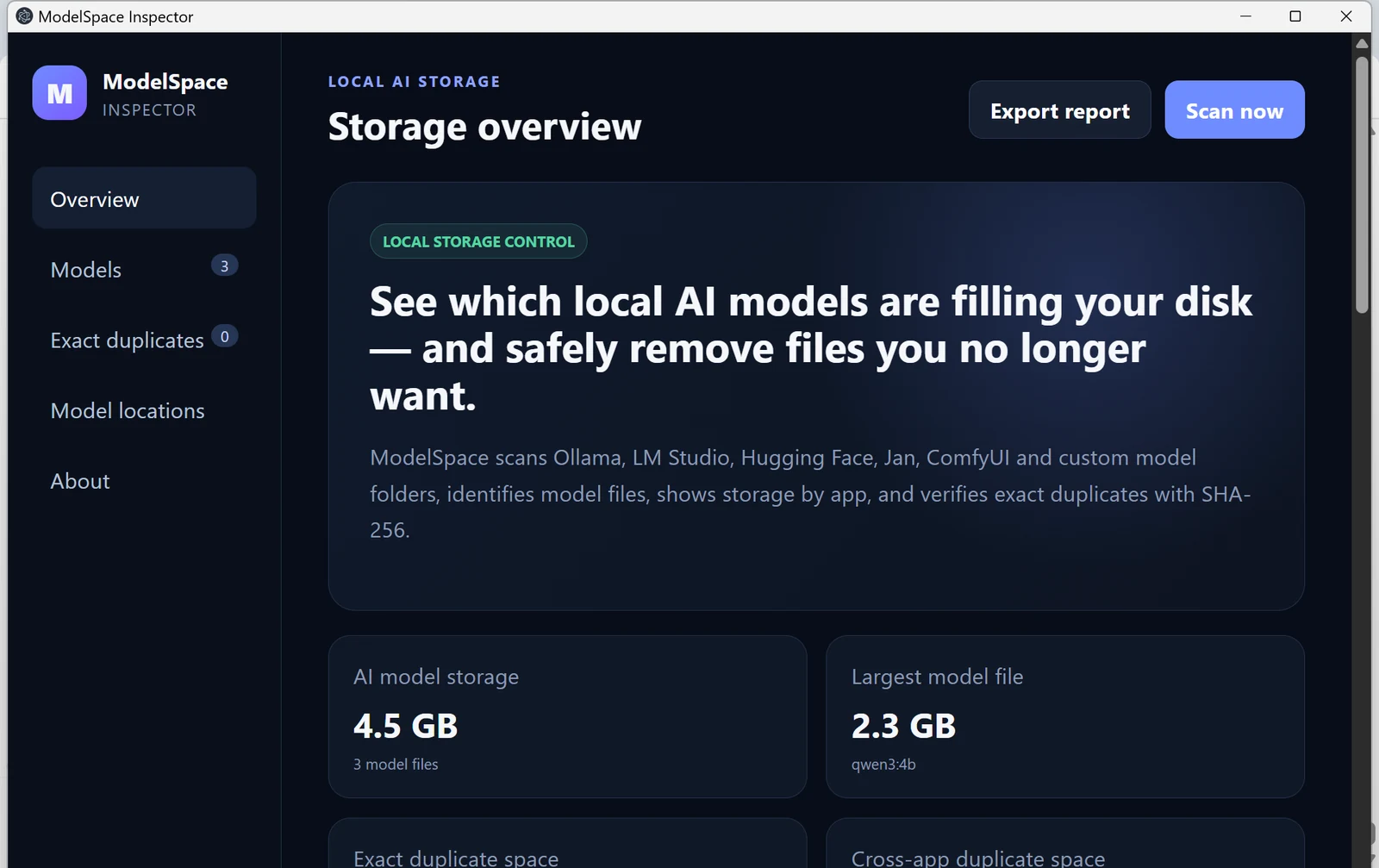
ModelSpace checks common locations and lets you add custom model folders too.
Discover model files across supported AI tools and user-selected folders.
See total model storage, largest files, source apps, and model locations.
ModelSpace uses SHA-256 content hashes to verify byte-for-byte duplicate files.
Deletion requires confirmation and sends selected files to the Windows Recycle Bin.
These screenshots are from the current ModelSpace Windows build — no invented dashboard.
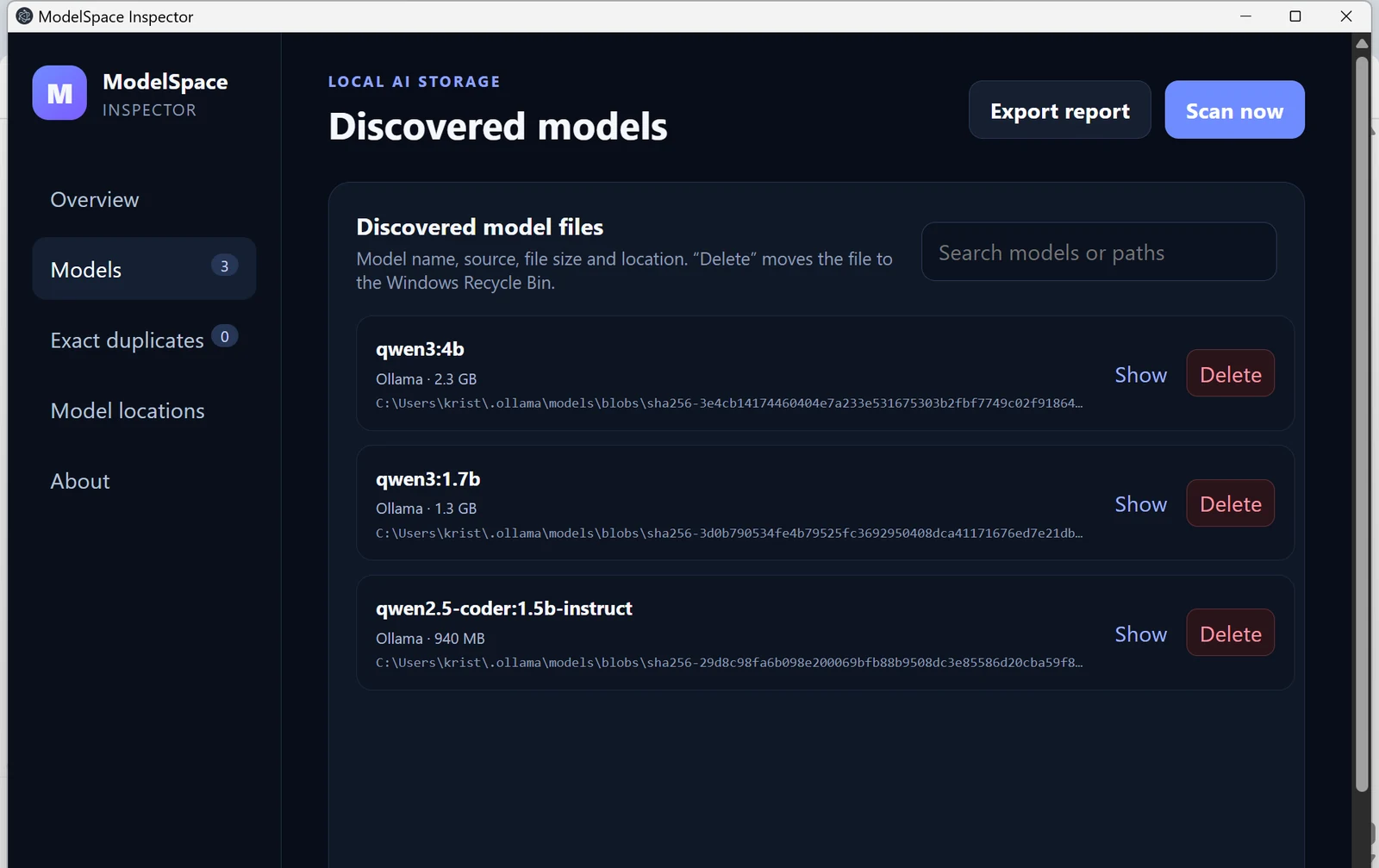
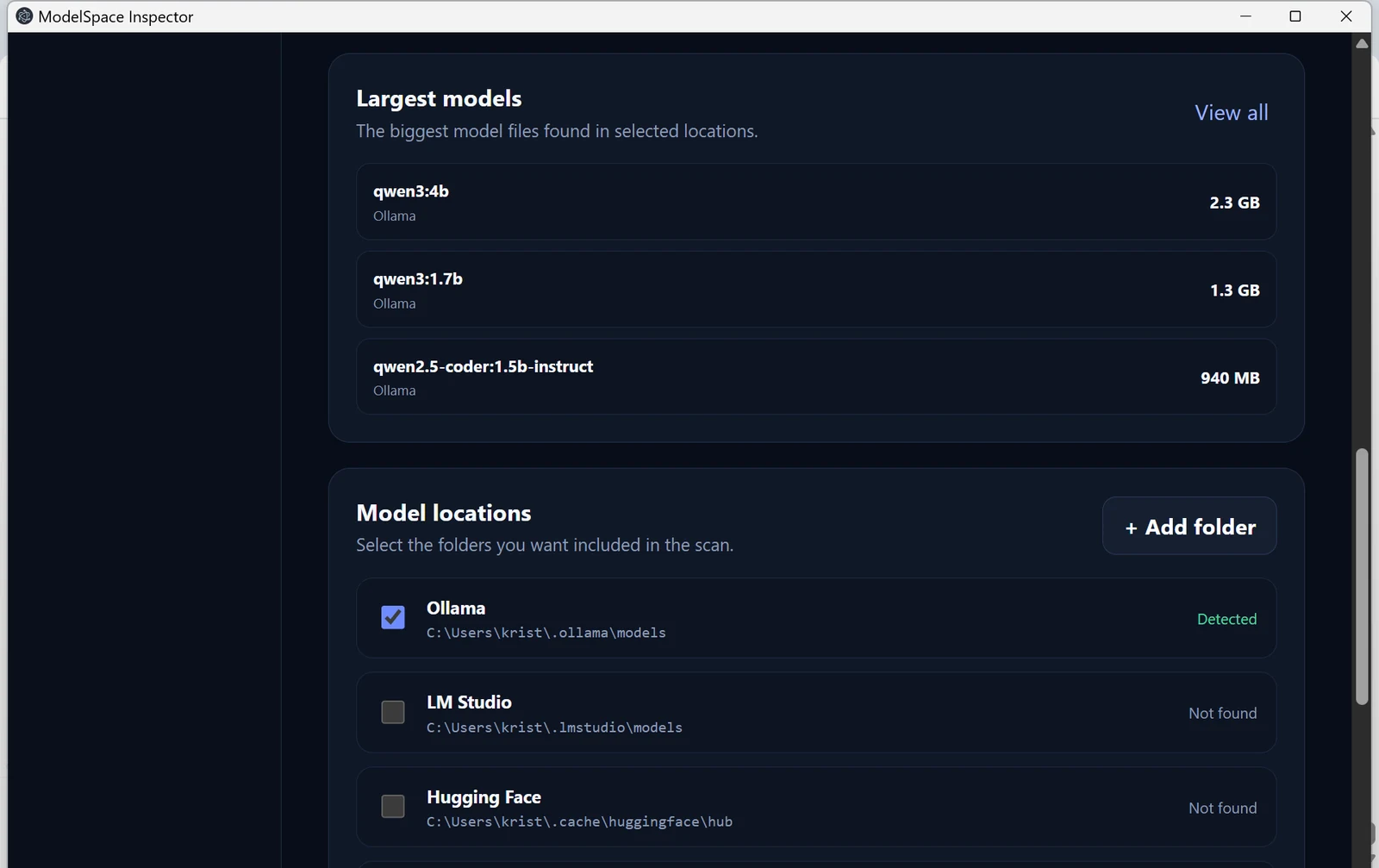
Choose detected or custom folders and run a local scan.
Inspect model names, locations, storage usage and verified duplicates.
Remove only the files you choose, with confirmation and Recycle Bin protection.
Learn how to inspect storage, find verified duplicate model files, and review large local model folders on Windows.
No. Model scanning, identification and SHA-256 verification happen locally on your PC.
No. ModelSpace is review-first. A delete action requires your confirmation and moves the selected file to the Windows Recycle Bin.
Current discovery includes Ollama, LM Studio, Hugging Face, Jan, ComfyUI and custom folders you select.
See the files. Understand the space. Decide what stays.